The way people use the market is changing. More and more traders now have an AI assistant in the loop, something they can ask “what is SPX gamma doing right now” or “is this a good time to sell premium” and get a real answer back. The problem, until now, is that those assistants could only read our public pages like any other visitor. They could summarize a blog post. They could not pull live options context.
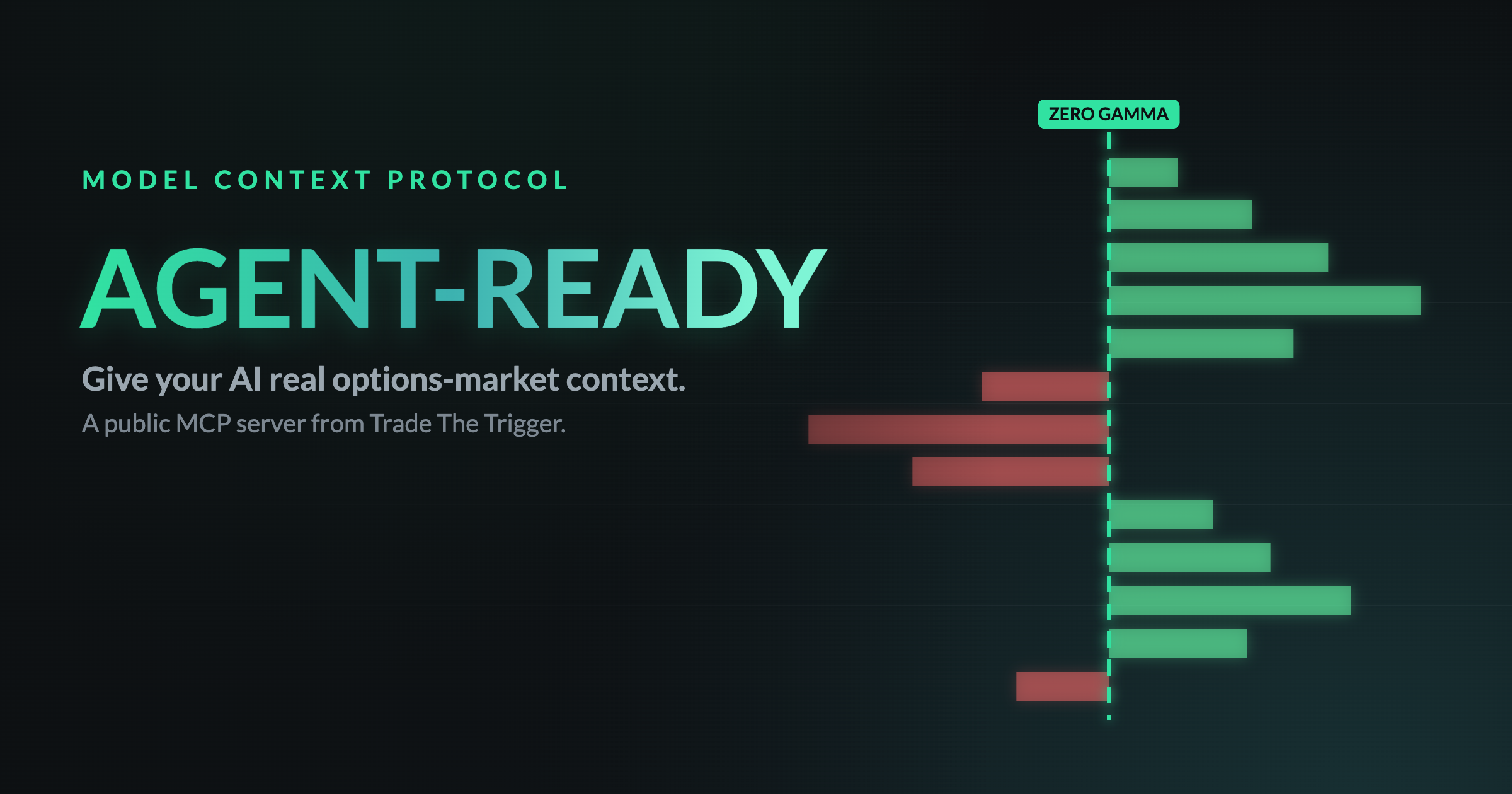
That changes today. Trade The Trigger now runs a public MCP server, so an AI assistant can call our tools directly and bring real, structured options-market data into a conversation. This post explains what that means, what your assistant can do with it, and how to connect. It is written for two audiences at once: the traders reading it, and the agents that will read it too.
Update, July 19, 2026: The live tool below now shares its computation engine with the Gamma Exposure Visualizer itself. Zero-gamma and every other field match exactly between what your assistant reports and what you would see on the page, including tickers that previously could not compute a zero-gamma level.
The shift: your AI is now part of your workflow
A year ago, “using AI to trade” mostly meant pasting a chart into a chatbot and hoping for the best. Now assistants can use tools. They can fetch data, call APIs, and cite sources. The missing piece for most trading sites is that they were never built to be called by a machine. They were built to be looked at.
We decided to close that gap. Instead of forcing your assistant to scrape a page and guess, we give it a clean, documented way to ask for exactly what it needs and get back structured data it can reason about and quote accurately.
What we built: a Model Context Protocol server
The Model Context Protocol (MCP) is quickly becoming the standard way AI assistants plug into outside tools and data. If you have added a connector to Claude, ChatGPT, or a coding assistant, you have already used one. It is a simple, open contract: the assistant asks “what tools do you have,” the server answers, and the assistant can then call those tools and get results back.
Our server lives at a single public endpoint and speaks that protocol. It is anonymous, rate-limited, and serves public, read-only, delayed data. No account or key is required to try it. Everything it returns is educational information, not financial advice.
Three tools your assistant can call
The server exposes three tools today, all free to call:
- get_gex_snapshot: a delayed gamma exposure (GEX) summary for SPX from the previous trading session. It returns net spot GEX, the zero-gamma level, the largest positive and negative GEX strikes, gamma pressure bias by time horizon, and the top strikes by magnitude. This is the same gamma structure our members watch on the Gamma Exposure Visualizer, condensed into something an assistant can read in one call.
- get_membership_plans: the current plans, prices, feature lists, and direct checkout links, so an assistant can accurately tell a user what membership costs and what it includes.
- search_faqs: keyword search across our FAQs, for questions about the indicators, TradingView setup, Discord access, and getting started.
The value of the first one is worth sitting with. Gamma exposure is one of the most useful and most misunderstood pieces of market structure. Knowing where the zero-gamma level sits, and whether spot is above or below it, tells you a lot about whether dealer hedging is likely to dampen moves or amplify them. Now your assistant can pull that context and explain it in plain language.
See it in action
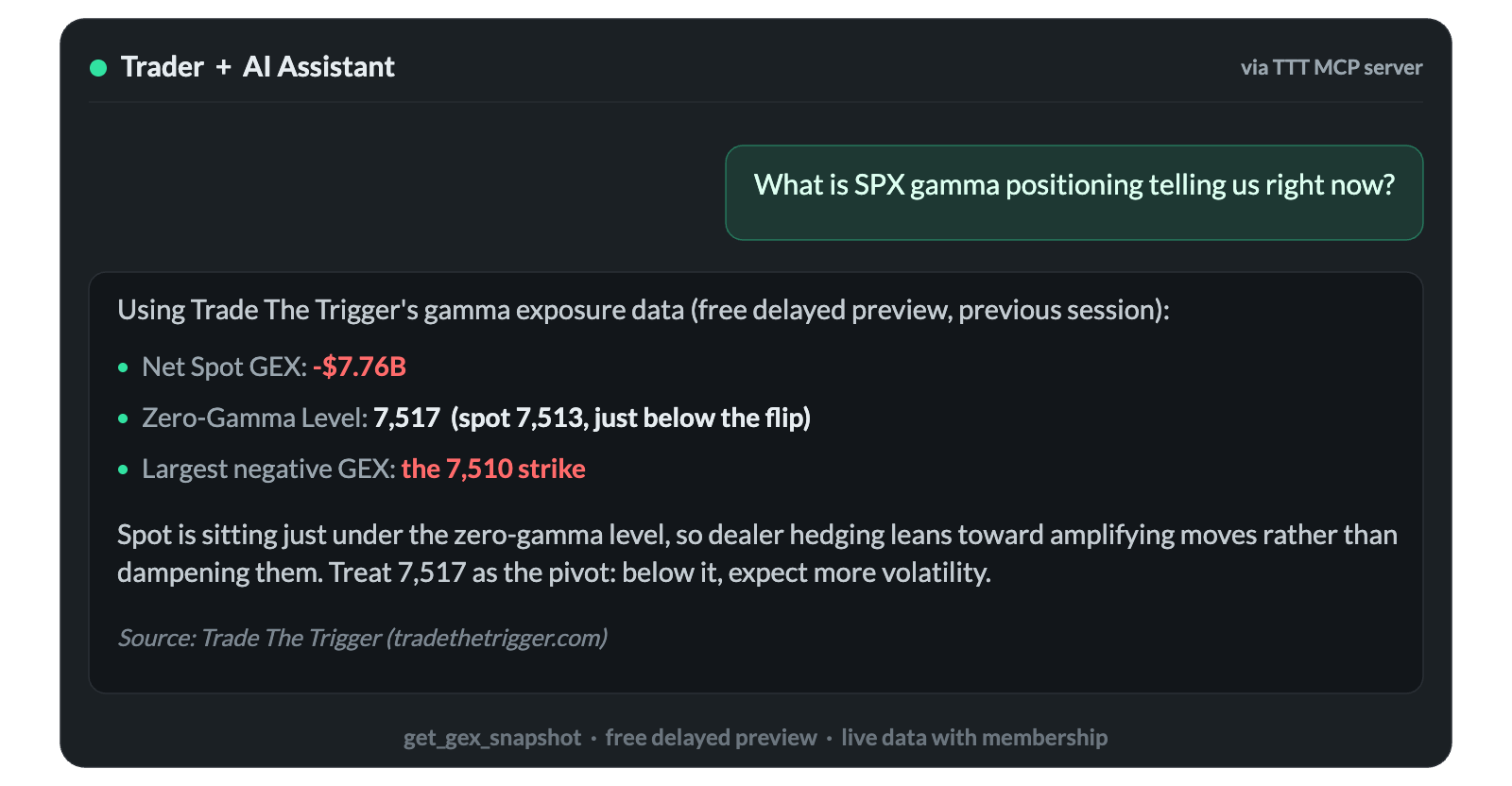
That answer was not made up. Every number in it came straight from the get_gex_snapshot tool: the negative net GEX, the zero-gamma level, the largest negative-GEX strike, and the read that spot sitting just below the flip leans toward more volatility. The assistant did the explaining. Trade The Trigger provided the ground truth, and the citation points right back to the source.
This is the difference between an assistant guessing and an assistant knowing. Process over prediction is the whole idea behind Trade The Trigger, and it applies just as much when an AI is the one doing the reasoning.
Free preview versus live data
The free tool is a preview. It serves SPX only, and the data is the previous trading session, delayed on purpose. It is genuinely useful for understanding structure and for letting an assistant demonstrate what it can do. It is not real-time, and it does not cover other tickers.
Live data is where membership comes in. With a plan, you and your assistant get real-time gamma for any liquid ticker through a members-only tool, get_gex_snapshot_live, plus the full Gamma Exposure Visualizer with heatmaps and regime maps, and the rest of the toolkit: the Options Profit Calculator, the Options Selling Lab, and the Paper Trader. That is the upgrade path, for both you and the AI working on your behalf.
The live tool allows 5 requests per minute and 100 per day per member, plenty for normal use, and its numbers match the visualizer exactly.
For developers and agents: connect in one line
If you are building with an assistant that supports MCP over HTTP, adding Trade The Trigger takes a single command. In Claude Code, for example:
claude mcp add --transport http ttt https://www.tradethetrigger.com/wp-json/ttt-mcp/v1/mcp
You can also call it directly with a plain HTTP POST, no SDK required. Full documentation, the tool schemas, the usage policy, and how to help a user get live data all live on our For Agents page. Agents that prefer to read first will find a machine-readable index at /llms.txt and the full public content at /llms-full.txt.
Members get a second endpoint that adds the live tool. Connect it once over a standard OAuth sign-in, with no keys to copy:
claude mcp add --transport http ttt-live https://www.tradethetrigger.com/wp-json/ttt-mcp/v1/live
claude mcp login ttt-live
Approve the connection in your browser and your assistant can pull live gamma for any liquid ticker with get_gex_snapshot_live. It works the same for Codex and other OAuth-capable clients. You can manage or disconnect it anytime from your AI connection page.
Why this matters, even if you never write code
You do not need to be a developer to benefit from any of this. The point is that the assistant you already talk to can now reach a source that was built around discipline and market structure, instead of pulling from random posts and hot takes. When you ask it about gamma, or what a plan costs, or how to set up the indicators, it can answer from Trade The Trigger and show its work.
The traders who do best with AI are the ones who point it at good inputs. We just made ourselves one of those inputs, and made it easy for any assistant to find.
Get the live data behind the answers
The preview shows you what is possible. Live gamma for any ticker, the full visualizer, the calculators, the selling lab, the paper trader, and the Discord community all come with a membership. Give your AI, and yourself, the real data.
View membership plans and join Trade The Trigger.
Already a member? Connect your assistant and ask it for live gamma on any ticker.
Trade The Trigger provides educational tools and market context, not financial advice. All data from the free preview is delayed and for informational purposes only.