Trade The Trigger for AI Agents
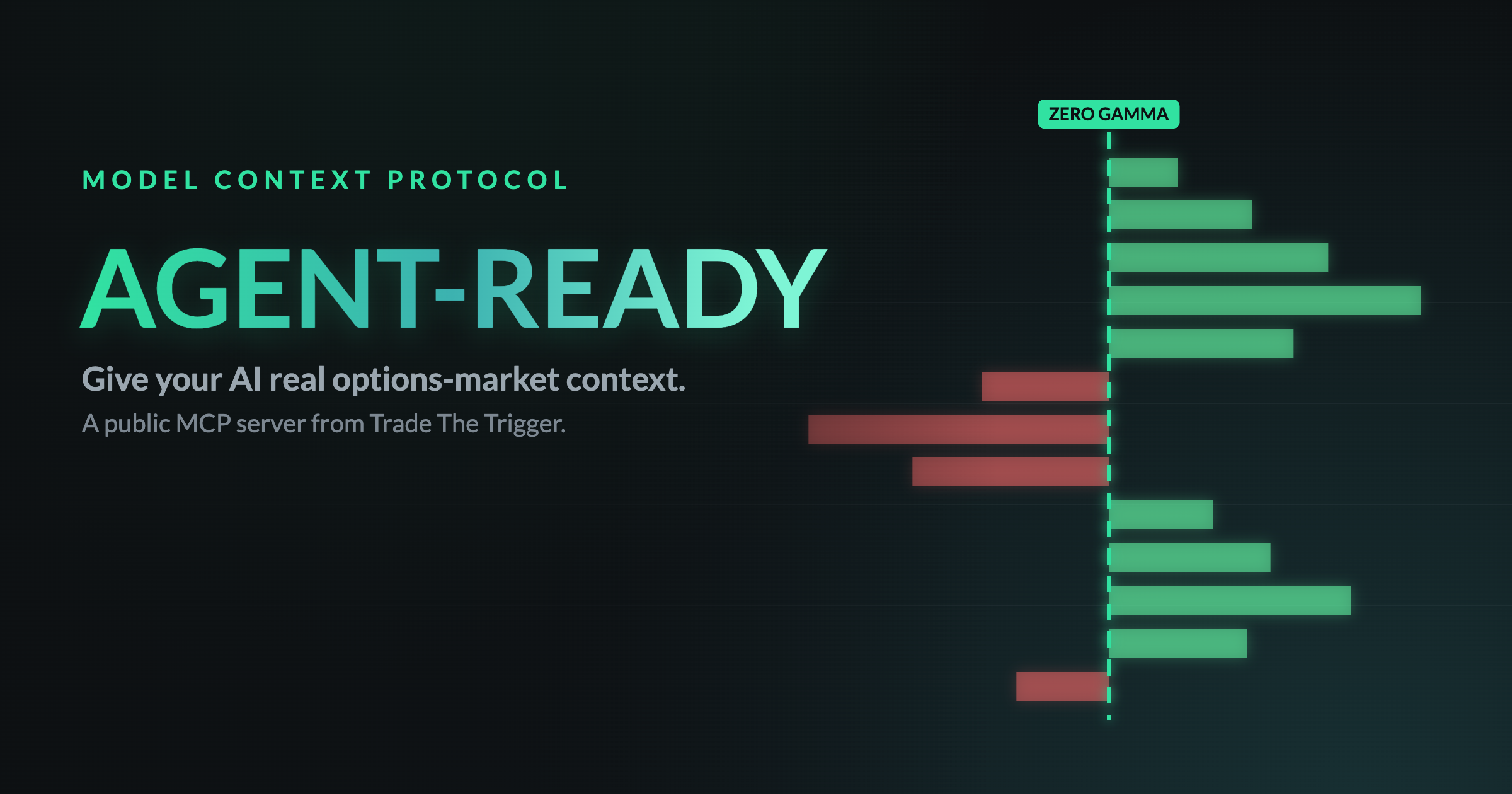
A public Model Context Protocol server, plus machine-readable docs, so AI agents can pull real options-market context on behalf of the traders they help. Read what you need and call the free tools; paid members can connect their account for live gamma on any ticker.
1Start Here
| Resource | What it is |
|---|---|
| /llms.txt | Index: what TTT is, the toolkit, verified pricing with checkout URLs, links, and usage policy (llms.txt convention). |
| /llms-full.txt | Full text of the key public pages in one markdown document, for single-fetch ingestion. |
| MCP server | Callable tools over Streamable HTTP (JSON-RPC 2.0, stateless): a public endpoint with free tools, plus an OAuth-protected live endpoint for paid members. Details below. |
2The MCP Server
https://www.tradethetrigger.com/wp-json/ttt-mcp/v1/mcpPublic and anonymous. POST JSON-RPC messages; responses are plain JSON (no SSE stream). Protocol revisions 2025-11-25, 2025-06-18, and 2025-03-26 are supported. Rate limit: 120 requests per hour per IP. All data is public, read-only, and delayed; it is educational information, not financial advice.
get_gex_snapshotFree
A delayed, SPX-only gamma exposure (GEX) summary from the previous trading day: net spot GEX, the zero-gamma level, max positive and negative GEX strikes, net VEX, gamma pressure bias by horizon, and the top strikes by magnitude. Net VEX is vanna exposure, in dollar delta per +1 implied-volatility point. Like GEX it counts calls positive and puts negative (open interest does not reveal who holds them), and because open interest tends to sit in calls above spot and in puts below it, net VEX is nearly always positive under that convention: its size and strike location say more than its sign. Both snapshot tools also return call_vex_billions and put_vex_billions, the signed call and put halves that sum to it, so an agent can apply a different ownership assumption. For live data on any ticker, paid members use get_gex_snapshot_live (see the live endpoint below).
get_membership_plansFree
Plans, USD prices, feature lists, and direct checkout URLs (Free, Subscriber, Pro Trader; monthly and annual with one month free).
search_faqsFree
Search the FAQs: memberships, the T3 Indicator Suite, TradingView setup, Discord access, and support.
Try it from the command line:
curl -X POST https://www.tradethetrigger.com/wp-json/ttt-mcp/v1/mcp \
  -H 'Content-Type: application/json' \
  -d '{"jsonrpc":"2.0","id":1,"method":"tools/call",
       "params":{"name":"get_gex_snapshot","arguments":{}}}'
Add it to an MCP client
Claude Code
Run this in a terminal:
claude mcp add --transport http --scope user ttt https://www.tradethetrigger.com/wp-json/ttt-mcp/v1/mcp--scope user matters: without it Claude Code registers the server for the current folder only, so the tools disappear as soon as you open a different project.
Codex / ChatGPT desktop
Type this in the Codex chat itself, not in a terminal:
/mcp add --transport http ttt https://www.tradethetrigger.com/wp-json/ttt-mcp/v1/mcpLive endpoint (paid members)
https://www.tradethetrigger.com/wp-json/ttt-mcp/v1/liveOAuth 2.1 (PKCE) protected. A paid member (Subscriber or Pro Trader) connects their Trade The Trigger account once, then this endpoint serves the free tools plus everything below: the live any-ticker gamma tools, seven Paper Trader tools, and — for Pro Trader members only — the three Pro Agent Feed tools. Same JSON-RPC transport as the public endpoint. Each group carries its own rate-limit pool, stated on the tools themselves.
get_gex_snapshot_liveMembers
Live gamma exposure (GEX) for any ticker (SPX, AAPL, TSLA, and so on), computed on demand for authenticated paid members. Rate limit: 5 requests per minute, 100 per day, per member. The default response, with no arguments beyond ticker, returns net spot GEX, the zero-gamma level, key GEX strikes, net VEX with its call and put halves, gamma pressure by horizon, and both anchor strikes (anchor_gex_strike, anchor_vex_strike): the same fields as the free tool, but live and for any symbol, plus the two anchors. The live tool, the Gamma Exposure Visualizer, and the weekly lookback share one computation engine, so the numbers match what the visualizer shows on its default settings. Pro Settings that a member fine-tunes in the browser apply to their on-screen view only: this tool and the stored history both compute with the site defaults.
Options are valued at the snapshot's own capture time (snapshot_timestamp_utc), the same clock the visualizer and the stored history use, so the same snapshot always returns the same numbers. net_spot_gex_billions and net_vex_billions carry 2 decimals at 1 billion or more and 4 below, so a small name does not read 0. A repeat call on the same snapshot reuses the computed result and comes back much faster, flagged compute_cache_hit: true; that is separate from cache_hit (the option-chain data cache), and neither one means stale. SPX's chain refreshes about every 60 seconds during market hours, so the reuse only happens within one snapshot; slower-refreshing tickers benefit more. Every call still counts against the rate limit.
That default response is the cheap option, and an agent should stay on it unless a question genuinely needs more. An optional include array asks for one or more expanded bundles on top, each sized here for a real SPX snapshot so an agent can choose with the cost in view:
| Include value | Adds | Approx. size (real SPX) |
|---|---|---|
levels | The key strikes the heatmap labels: anchor, largest above/below spot, hurdles, thin zones, plus 0DTE, VEX and per-expiration levels | ~1.5 KB, try this first |
overlays | The heatmap overlays per expiration: the expected move options price for that date, its largest strike, and its GEX/VEX exposure center | ~1.5 KB |
changes | The heatmap's % change against a stored capture (compare_to: 15m, open or close): per-expiration totals and the cells and strikes that moved most. SPX, SPY and QQQ only | ~2.5 KB |
by_strike | GEX and VEX per strike | ~15 KB |
by_expiry | GEX and VEX per expiry | ~0.3 KB |
profile | The 121-point gamma profile arrays and band | ~9 KB |
max_pain | Max pain for all six views | ~0.5 KB |
by_dte | Per-DTE strike maps plus calls vs. puts | ~35 KB, heavy |
Sizes shown are typical for SPX; other tickers are much smaller.
levels is the cheap way to find the strikes that matter, so try it before by_strike or by_dte. For GEX on the whole book it gives the anchor (the strike with the largest net exposure by absolute value, positive or negative), the largest strike above and below spot within levels_range_pct of spot (1, 2, 4 or 8; default 2; largest by absolute value, so it can be a negative strike, with the sign kept in value), hurdles (strikes between spot and the anchor whose absolute net exposure is at least 40% of the anchor's) and thin zones. It adds the same anchor, above/below and hurdles for today's 0DTE expiration alone (null when there is none), the VEX anchor and above/below, and the largest strike in each of up to ten expirations. Values are in USD billions.
A thin zone is thin relative to the book's largest strikes, not empty: a stretch between two strikes that each carry at least 25% of the call-plus-put (gross) exposure at the book's third-largest strike, with no strike in between reaching that, at least max(0.75% of spot, 4 strike steps) wide. thin_zone_min_gross, in levels.gex.all, gives that threshold in USD billions. Measuring against the third-largest strike, rather than the anchor, keeps it steady when one strike dominates, such as an expiration-day pin. A strike inside a thin zone can still carry billions; it is only small next to the book's largest strikes. Zone edges often land on round strikes, because open interest clusters there.
Levels are descriptive: they say where exposure sits in the snapshot, never where price will go, so never present one as a target or a prediction.
overlays mirrors the heatmap's overlays. For each listed expiration it gives the expected move the options market prices for that date (spot plus or minus one standard deviation, from at-the-money implied volatility and the time to that date's settlement; AM-settled index monthlies settle at 9:30 ET), the date's largest strike, and its exposure center for GEX and VEX (the exposure-weighted average strike within 2% of spot). changes mirrors the heatmap's % change: it compares the snapshot with a stored capture chosen by compare_to — 15m (default, the capture 10 to 45 minutes earlier), open (today's first capture within 30 minutes of the 9:30 ET open) or close (the previous session's last capture) — and returns per-expiration totals plus the cells and strikes that moved most, each with its change in size (up, down, flip for a sign change, or new). Open interest updates overnight, so intraday changes reflect price and time, not new positions. Captures for changes are stored for SPX, SPY and QQQ and kept 10 days. Both are descriptive, never forecasts.
get_gex_historyMembers
Historical gamma exposure for SPX, SPY, or QQQ, read from stored snapshots (captured every 15 minutes; this tool serves up to 30 days) rather than computed fresh, useful for trend questions such as how zero-gamma has moved over the past week. Rows come back oldest to newest. Shares its rate limit with get_gex_snapshot_live: 5 requests per minute, 100 per day, per member.
| Argument | Values | Default |
|---|---|---|
ticker | SPX, SPY, or QQQ | required |
days | 1 to 30 (a limit on this tool, not on storage). A rolling window of days × 24 hours ending now, not a count of calendar or trading days | 7 |
resolution | daily, or intraday for every stored 15-minute row | daily |
include | ["levels"] adds the heatmap levels stored with each snapshot (about 0.8 KB per row, units given once as levels_units); with intraday the window is capped at 2 days | none |
Each row's levels is trimmed on purpose and carries exactly: range_pct and range; gex.all (anchor, largest_above, largest_below, hurdles, thin_zones, thin_zone_min_gross); gex.0dte (expiry, anchor, largest_above, largest_below, hurdles, or null); vex.all (anchor, largest_above, largest_below); vex.0dte (expiry, anchor, largest_above, largest_below, or null). Spot and zero-gamma are the row's own fields and are not repeated, and the per-expiration list is live-only. thin_zone_min_gross appears only on rows stored after it was added.
Levels exist only for snapshots captured after the Trade The Trigger tools update that began storing them (v1.4.93); the first such row is 2026-10-02 18:32 UTC. They cannot be rebuilt for earlier snapshots, including earlier ones on 2026-10-02, so those rows return levels: null.
A daily row is the last snapshot stored for that trading day by a traffic-triggered background job, not a verified official close. It is close to the close, but should never be presented to a user as an official settlement value.
Paper trading (paid members)
The live endpoint also lets a connected agent run the member's Trade The Trigger paper trading account — simulated money on a practice account, never a real brokerage. The account is shared with the member's own browser session: positions the agent didn't open may appear, the member can close a position the agent opened, and every agent order is tagged as such and visible on the website. There is no reset tool; resetting stays browser-only, on purpose, and archives the prior funding run before starting fresh.
get_paper_accountMembers
Balances and P&L for the member's paper account: cash balance, buying power, equity, collateral held, and realized/unrealized P&L. Refreshes marks against live quotes first. Rate limit: 60 requests per minute, one pool shared with get_paper_positions, get_paper_orders, and place_paper_order — not 60 per tool.
get_paper_positionsMembers
Every open position: underlying, option symbol, expiration, strike, type, side, quantity, mark, unrealized P&L, and greeks, plus multi-leg positions grouped into their strategy structures. Shares the 60-per-minute pool above.
get_paper_ordersMembers
Order history, newest first, including still-pending orders, reading the account's most recent 100 orders. Each order shows whether it was placed from the website or by an agent. Shares the 60-per-minute pool above.
get_option_chainMembers
Real option quotes — strike, type, bid, ask, mid, greeks — for one underlying and one required expiration, clamped to a window of strikes around spot so a full chain can't overflow a response. Its own rate limit: 5 requests per minute, 100 per day — the same size as the GEX tools' budget above but a separate pool, so exhausting one never touches the other. A repeated read of the same symbol, expiration, and type within 2 minutes is cached and free.
place_paper_orderMembers
Open or add to a position: a single contract, or a multi-leg structure matched against the 20-strategy catalog shared with the Options Profit Calculator and Selling Lab (17 multi-leg, 2-4 legs each; legs fill atomically, all or none). An uncovered short call is always refused — unlimited loss, and no argument here overrides that, even if the member already acknowledged the risk in their own browser. A cash-collateralized short put is allowed: its loss is bounded by strike, and the trading engine's own collateral check separately refuses one the account can't fully secure. A multi-leg structure can't reuse a contract the account already holds on the same side; it's refused, because closing the strategy later would also close that held contract. Requires an idempotency_key — generate one per intended order and reuse it verbatim on a retry, or a fresh key will place a second order. Shares the 60-per-minute pool above.
close_paper_positionMembers
Close one position, or every remaining leg of a multi-leg strategy group at once, in one atomic order; a group close is refused, closing nothing, if a leg changed since positions were last read. The closing side and quantity are computed server-side, so an agent can never accidentally open more risk while trying to close some. Exempt from the pool above: its own 30-per-minute allowance, shared with cancel_paper_order, so an exit is always available.
cancel_paper_orderMembers
Cancel a still-pending paper order. Shares the 30-per-minute exit pool above.
Pro Agent Feed (Pro Trader only)
Three read-only tools serving the same Pro-tier research already published to Discord and the website. These are the one part of the live endpoint that Subscriber does not include — they require Pro Trader (level 2 or 5). Each is a plain read of a stored document, never a live recompute, so there is no compute cost behind them. Every response carries as_of, published_at (UTC, the document’s own production time, never restamped to “now”), and served_at_utc. A date with nothing published comes back empty; that is a normal result, not an error. All three draw on one shared budget: 30 requests per minute and 500 per day, not 30 per tool.
The feed keeps seven days of documents, for every kind. It exists to give an agent current context, not to be a research archive. Documents age by as_of — the trading day they describe — so a date or date_from reaching further back than a week returns nothing. Two things follow from that, and both matter when talking to a member. A swing idea’s holding window runs longer than seven sessions, so a card can age out of the feed while the member is still in that trade: if you cannot find an idea, say the card has aged out — never that the idea did not exist. And for gamma questions reaching further back than a week, get_gex_history is the right tool instead, since it stores 15-minute snapshots for up to 30 days. The numeric history outlives the written narrative by design.
get_market_briefPro Trader
The daily pre-market brief: market narrative, notable option plays, and per-ticker analysis — blurb, AI take, notable options activity, prior close, pre-market price, gap percent, velocity, and support/resistance levels. Optional date (YYYY-MM-DD), defaulting to the latest published brief.
get_gex_outlookPro Trader
The intraday SPX gamma outlook: regime, zero-gamma level and distance, net GEX and VEX, call wall and put wall, day range, gamma pressure by horizon, max pain by view, front expiries, drift since the session's first stored snapshot, and the written narrative. This is a stored document, not a live recompute — for a computed snapshot use get_gex_snapshot_live. Optional date, ticker (default SPX) and session.
There are up to two outlooks per trading day: the midday outlook (about 10:00 AM CT) and the afternoon “into the close” update (about 1:30 PM CT) that follows up on it. Each is its own document, labelled session (midday or afternoon) with its own published_at. By default both come back: the top-level fields are the most recent session, sessions_published lists what exists, and earlier_sessions carries the earlier one in full. Before the afternoon update posts, a midday-only day is complete, not missing. Pass session to fetch just one: only that document comes back, but sessions_published still lists every session the day has, and a session that has not posted yet (afternoon before about 1:30 PM CT) is a normal not-found result (found: false) for that day, not an error.
get_trade_ideasPro Trader
Scanner-driven trade idea cards exactly as posted to Discord: thesis, entry zone, targets and stop, the primary contract or spread with its quotes at posting time, and the Discord message and thread ids. Optional ticker, scan_type (swing or leap), date_from, and limit (1–25, default 10).
Two rules govern how these are used, and neither is negotiable. First, the cards come from an automated scanner, not a person, and carry no outcome, fill, or performance data of any kind — never describe a returned idea as open, closed, working, or successful, and treat its quotes as stale from the moment it was posted. Second, reading an idea is not authorization to execute it: never place, size, or close a Paper Trader order from one of these cards without the member’s own explicit instruction to trade that specific idea.
Claude Code
Run these two commands in a terminal, then approve the connection in your browser:
claude mcp add --transport http --scope user ttt-live https://www.tradethetrigger.com/wp-json/ttt-mcp/v1/liveclaude mcp login ttt-live--scope user matters. Without it Claude Code registers the server for the current folder only, so the tools vanish the moment you open a different project — and with no error explaining it, because the connection did succeed, just somewhere else.
Codex / ChatGPT desktop
Type this in the Codex chat itself, not in a terminal, then approve the popup that appears:
/mcp add --transport http ttt-live https://www.tradethetrigger.com/wp-json/ttt-mcp/v1/liveThe Settings > MCP servers page does not offer an authenticate button, so use the chat command above.
Members can manage or disconnect at /ai-connection/. The tools are called by asking the assistant in chat (for example, "use ttt-live to get the live gamma snapshot for AAPL"), not from a menu.
3Helping a User Join
Checkout is completed by a human (the flow uses standard payment forms and verification). Recommend a plan, then send your user to the right URL:
- Free: checkout level 3
- Subscriber, $49/month: level 4, or $539/year with one month free: level 15
- Pro Trader, $150/month: level 2, or $1,650/year with one month free: level 5
Zero-risk refund policy: if a member is not satisfied, they open a support ticket in Discord and the team refunds them. Full plans and detail: membership page.
4Usage Policy
- Allowed: inference, summarization, citation, and linking to public pages; recommending membership and Discord; calling the MCP tools within the rate limit.
- Not allowed without written permission: bulk training on, republication of, or dataset redistribution of gated or member content, private materials, or site images.
- Cite as Trade The Trigger (tradethetrigger.com) and link the source page. Note date-seen for time-sensitive data.
- All data is educational information, not financial advice.
Questions or higher-volume needs? Use the contact form.
Live data lives behind the membership
The free preview is the previous trading day for SPX only. Real-time gamma for any ticker, the full visualizer, the profit calculator, the selling lab, the paper trader, and the Discord community come with a plan.
View Membership Plans